The Odisha Government has started the Human Resource Management System (HRMS Portal) to help its employees easily access their salary slips. Also, It’s a gateway for a new job, loan application, and checking on the payment details. It has been installed for human resource management in the state government so far. Every employee is entitled to a payslip every month.
The system helps make sure employees get their payments on time. You’ll find all details about HRMS Odisha including its benefits, login steps, and how to download your pay slip correctly.
HRMS Odisha
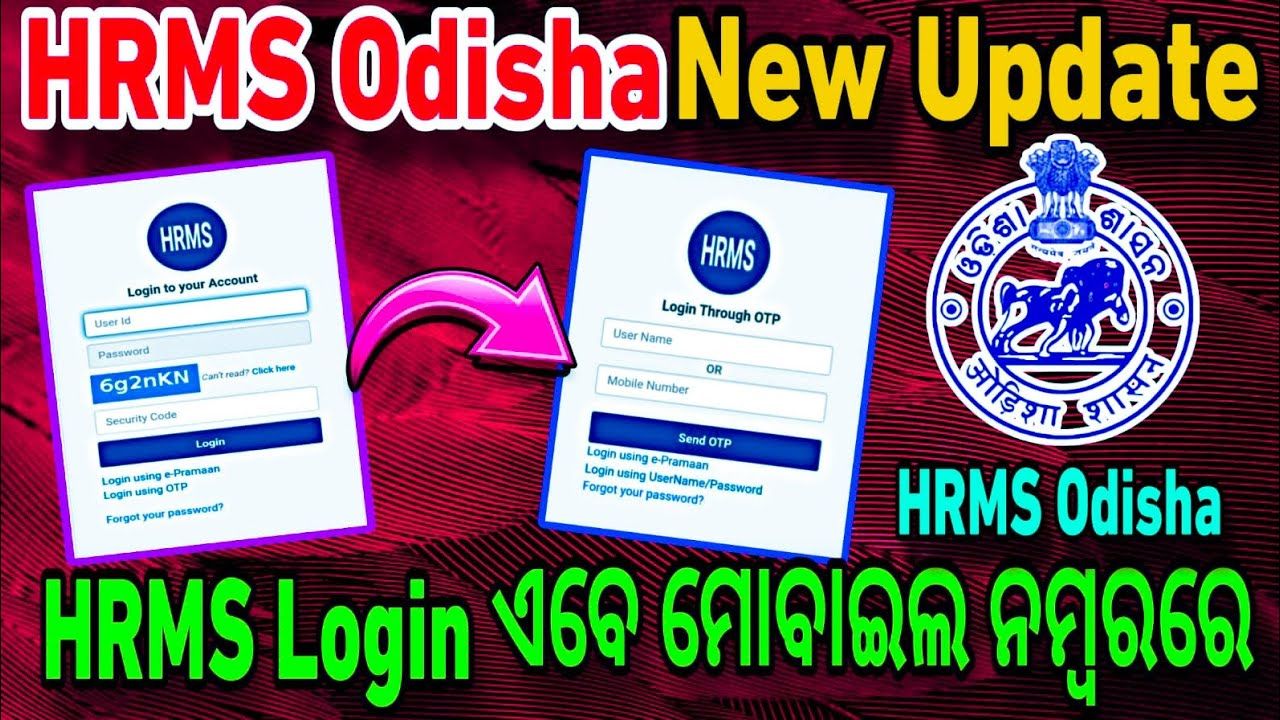
HRMS Odisha is a digital portal created especially for Odisha government employees. Through this portal, government employees can get information related to salary details, deductions, leaves. Along with this, employees can see their salary slips, apply for loans, and keep a record of their official payments.
The software was launched by the state government to cater to human resources, business, and data management. To use the portal, employees must have a username and password given by the HR department.
Main Benefits of Using HRMS Odisha Portal
- The government can keep accurate records of salary payments and any changes over time.
- Employees can easily see their pay slips and related salary details online.
- The pay slip can be used as proof when applying for bank loans.
- Employees can use their pay slips when looking for new jobs.
- It helps in solving any disputes related to salaries between employees and departments.
- Employees get a clear view of deductions and total earnings.
How to Login to HRMS Odisha Portal
- Go to the official HRMS Odisha website.
- On the homepage, click on the Personal Login/HRMS Login button.
- Enter your user ID and password.
- Type the captcha code shown on the screen.
- Click the ‘Login’ button to access your account.
How to Download Your Pay Slip
- Open the official HRMS Odisha website.
- Click on the Personal Login/HRMS Login tab.
- Enter your login ID and password, then fill in the captcha code.
- Click to log in.
- Once logged in, open the dashboard and click on the ‘Request’ or ‘Submission’ section.
- Select ‘HRMS Salary Slip’ from the list.
- A new page will open showing a dropdown for months and years.
- Choose the month and year of the pay slip you want to download.
- The pay slip will appear on the screen.
- If details are correct, click the download button.
- You can now print the pay slip for your records.
How to Register Your Mobile Number on HRMS Odisha Portal
- Go to the official HRMS Odisha website.
- On the homepage, under ‘e-services for employee’, click on ‘Registration Sign-up’.
- Fill in all required information.
- Enter your mobile number you want to register.
- An OTP will be sent to your mobile number.
- Enter the OTP to verify your number.
- Click on ‘Save’ or ‘Create Account’ to finish the registration.
HRMS website plays a significant role in Odisha state. HRMS Odisha provides a variety of services that streamline the day-to-day tasks of government employees. HRMS Odisha also provides several services for HR managers and administrative authorities.
Disclaimer: The information published on Latestsarkariyojana.com is provided for general informational and educational purposes only. While we make every effort to keep the content accurate, up-to-date, and reliable, we do not guarantee the completeness, accuracy, or validity of any information published on this website.