
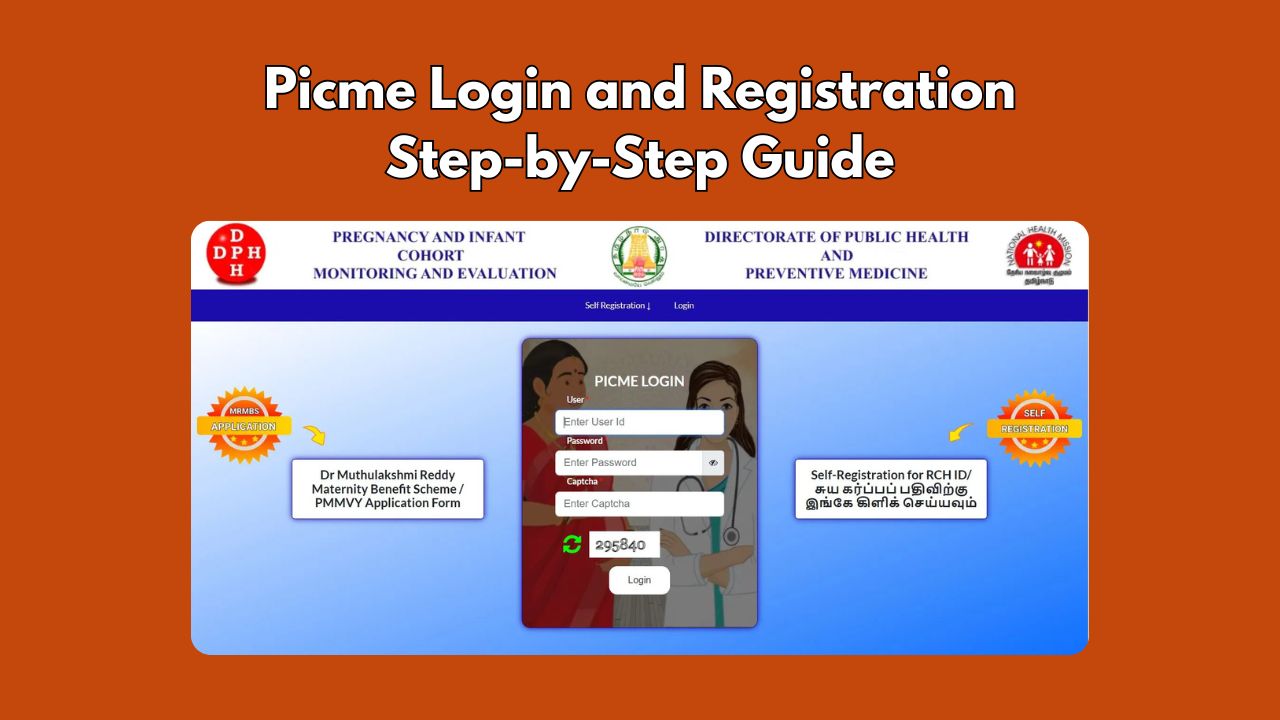
PICME is an initiative by the Government of Tamil Nadu aimed at monitoring and supporting the health of pregnant women. This system keepp trake each stage of a women’s pregnancy. This digital platform ensures systematic monitoring, timely medical interventions, and access to various welfare schemes.
PICME (Pregnancy and Infant Cohort Monitoring and Evaluation) is an online system launched by the Government of Tamil Nadu. The State Health Department has mandated a streamlined system that tracks pregnancy.
This article provides a clear and actionable breakdown of the PICME registration process, eligibility conditions, and essential steps involved.
What is PICME?
PICME is an acronym of Pregnancy and Infant Cohort Monitoring and Evaluation. This comprehensive system ensures that expectant mothers receive timely medical care, financial assistance, and essential services. These improvements are designed to simplify access and improve transparency.
Registration under PICME is mandatory for all pregnant women in Tamil Nadu. The system registers and tracks each pregnancy to ensure that mothers receive proper medical care.
Student Tracking System – STS Login Karnataka Portal
Eligibility Criteria
To be eligible for PICME registration:
- Residency: Must be a resident of Tamil Nadu.
- Pregnancy Status: Should be currently pregnant.
- Registration Timeline: It’s advisable to register within 12 weeks of conception for optimal monitoring and benefits.
Documents Required for PICME Registration
Many documents are required at the time of registration on PICME. The following documents are typically required for PICME registration:
- Passport
- Voter ID
- Passbook of the bank
- Aadhar card
- Certificate of Marriage
- Ration card
- MGNREGA – job card
- Health insurance card under the C.M.’s comprehensive scheme
- Driving license
- Other additional documents as per the requirements
Monitoring and Support
Regular Check-ups: Scheduled antenatal visits are organized to monitor the health of both mother and fetus.
Health Education: Mothers receive guidance on nutrition, hygiene, and prenatal care to promote a healthy pregnancy.
Vaccination Reminders: The system sends reminders for necessary vaccinations and medical tests.
Postnatal Care: After delivery, both mother and child are monitored to ensure proper recovery and health.
PICME Registration Methods
Pregnant women can register for PICME through various channels:
- Online Pre-Registration:
- Visit https://picme.tn.gov.in/
- Click on “Pre-Registration by Public”.
- Fill in personal details, including name, address, contact information, and expected date of delivery.
- Submit the form to receive a Pre-Registration ID via SMS.
- Village or Urban Health Nurse (VHN/UHN):
- Visit the nearest Primary Health Center (PHC) or Health Sub-Center.
- Provide necessary details and documents.
- The VHN/UHN will complete the registration and issue a 12-digit RCH ID.
- e-Seva Centers:
- Approach the nearest e-Seva center.
- Provide required information and documents.
- Receive a Pre-Registration ID upon completion.
- Toll-Free Number (102):
- Call 102 and provide necessary details.
- Receive a Pre-Registration ID via SMS.
- Government Hospitals:
- Visit any government hospital for assistance with PICME registration.
- Hospital staff will guide you through the registration process.
After pre-registration, the assigned VHN/UHN will contact you to complete the registration and provide the RCH ID.
How to Check the Status of PICME Registration?
To check the status of registration of PICME, you can follow the below steps:
- In order to check the status of the registration, you will have to pay a visit to the official website.
- Select the option of pre-registration by the public.
- Enter the 12-digit PICME number.
- Press on the submit button, and the status will open.
If you are facing problem and need any assistance regarding PICME login, registration, or RCH ID-related issues, you can contact the PICME Helpline at 102 or visit the nearest Primary Health Center (PHC).
PICME registration plays a vital role in ensuring structured maternity care. It creates a verified health record and helps expectant mothers. Whether you are the pregnant lady herself or any of her family members, having a deep understanding of PICME process.
Frequently Asked Questions
What is the full form of PICME?
The full form of PICME is Pregnancy and Infant Cohort Monitoring and Evaluation.
Is PICME registration mandatory?
PICME’s goal is to decrease maternal and newborn deaths. The identification number is required to receive a birth certificate.
How do you register if you are pregnant?
You can register for PICME online at https://picme.tn.gov.in or through your nearest Primary Health Center.
Where can I find my PICME registration status?
Go to picme.tn.gov.in, go to the Check Registration status page and see your details.

He is a professional blogger, blogging expert, SEO strategist, and founder of Latestsarlariyojana.com. With over 10+ years in the industry, he helps creators and entrepreneurs build successful websites and blogs.