
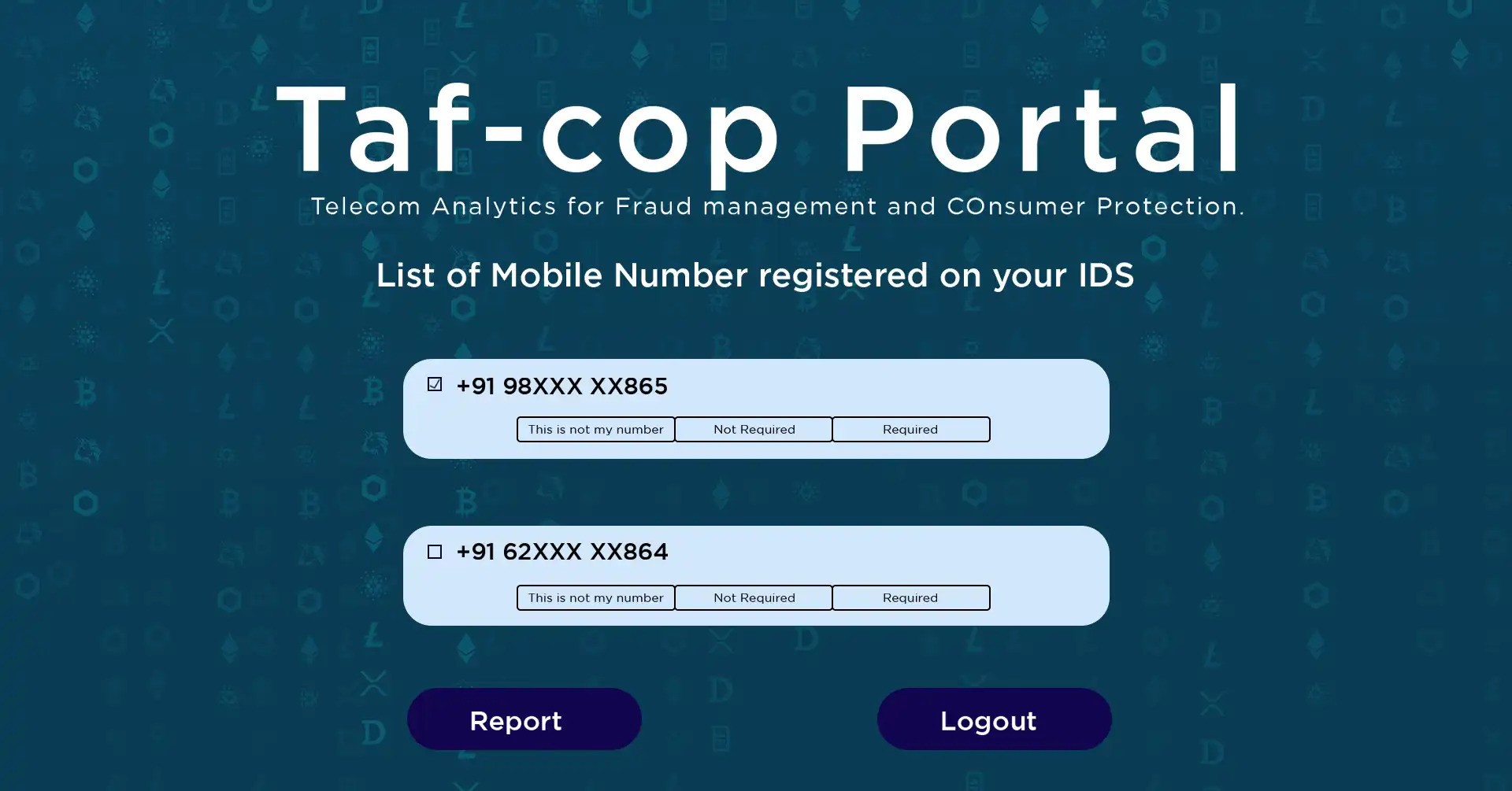
The TAFCOP Portal is a government portal where all mobile customers can get information about the mobile connections issued in their name. This portal is operated by the Department of Telecommunications, Government of India. You can find out how many mobile numbers are currently active in your name through the TAFCOP Portal.
People often use more than one SIM card for a single Aadhaar card. Many people don’t even know how many SIM cards are active on their Aadhaar card. However, using the TAFCOP Portal, you can easily find out which number is active. If you’re not using a SIM card, you can deactivate it.
Table of Contents
Through this portal, anyone can find out how many SIM cards are active on their Aadhaar card. In this post, we’ll explore the Indian government’s TAFCOP Portal (Telecom Analytics for Fraud Management and Consumer Protection) in detail.
Highlights of the Tafcop Portal Portal
| Portal Name | TAFCOP Portal |
| Full Form | Telecom Analytics for Fraud Management and Consumer Protection |
| Initiated by | Department of Telecommunication (DoT) |
| Beneficiaries | Indian Telecom Subscribers |
| Objectives | To Reduce fraud cases & unauthorized mobile connections |
| Official Website | https://www.sancharsaathi.gov.in/ |
What is TAFCOP Portal?
TAFCOP is an important portal for Indian telecom consumers, launched by the Department of Telecommunications. TAFCOP stands for Telecom Analytics for Fraud Management and Consumer Protection. It provides mobile users with information about mobile connections issued in their name.
Registering through the TAFCOP portal protects your identity and keeps you away from scams. It’s essential to exercise caution when it comes to your personal information. This portal was launched to address the increasing number of frauds involving mobile numbers. It helps identify multiple phone numbers associated with a specific individual and provides guidance on how to correct any errors.
Benefits of Tafcop Portal
- You can find out how many connections have been taken in your name through the TAFCOP portal.
- If a fake SIM card has been issued in your name, you can have it deactivated here.
- You can file a complaint regarding your SIM card connection.
- TAFCOP can help prevent SIM card fraud.
TAFCOP Portal Required Documents
Following are the documents required for TAFCOP portal.
- Aadhaar Card
- Mobile Number
- Email ID
- Permanent Resident Certificate
How to Check Active SIM Status on TAFCOP?
If you want to check your active SIM status online on this portal, then follow the steps given below.
- First of all, you need to go to the ALL IMPORTANT LINKS section above and click on the link given in front of Check Active Sim Status.
- As soon as you click, the page of Logging in using your Mobile Number will open in front of you.
- Now enter your active mobile number.
- Now enter the captcha and then click on Validate Captcha.
- After verifying the OTP, proceed further.
- A list of active mobile numbers in your name will now appear.
- If any number in the list of numbers appearing is not yours, then you can deactivate that mobile number by selecting that number, clicking on Not my Number and then clicking on Report.
- Select one of Not my Number, Not Required or Required next to each mobile number and proceed further to complete your process.
- To check your TAFCOP Report Status, you will receive a reference number from the TAFCOP Portal, which will allow you to check your SIM’s status by checking your TAFCOP Report Status.
- Finally, save the reference number you received so you can check your SIM’s status in the future.
How to login on TAFCOP portal?
First, you’ll need to go to the “ALL IMPORTANT LINKS” section above and click on the link next to “TAFCOP Portal Login.” The website’s login screen will open. Now enter your User ID and Password. Then enter the Captcha, then click Validate Captcha. Verify the OTP and proceed. Finally, click the Login button to log in. This will complete your login.
How to know which mobile number is linked to Aadhaar?
If you don’t know which SIM number is linked to your Aadhaar, don’t worry. Now you can easily find it out online from the comfort of your home. Here’s the complete process:
- First, open the official UIDAI website.
- Click on the My Aadhaar section on the homepage.
- Then, go to the Aadhaar Services option and select Verify Email/Mobile Number.
- On the next page, enter your 12-digit Aadhaar number, mobile number, and captcha code.
- Then click on Send OTP.
- If your mobile number is linked to Aadhaar, you will receive an OTP. You can enter it to verify it. However, if your mobile number is not registered in UIDAI records then you will see a message on the screen: Your number does not match our records.
Detailed information about SIM cards can be obtained by visiting the official website of the TAFCOP Portal. Upon logging in to this portal, you will see all the mobile numbers associated with your Aadhaar card.

He is a professional blogger, blogging expert, SEO strategist, and founder of Latestsarlariyojana.com. With over 10+ years in the industry, he helps creators and entrepreneurs build successful websites and blogs.