
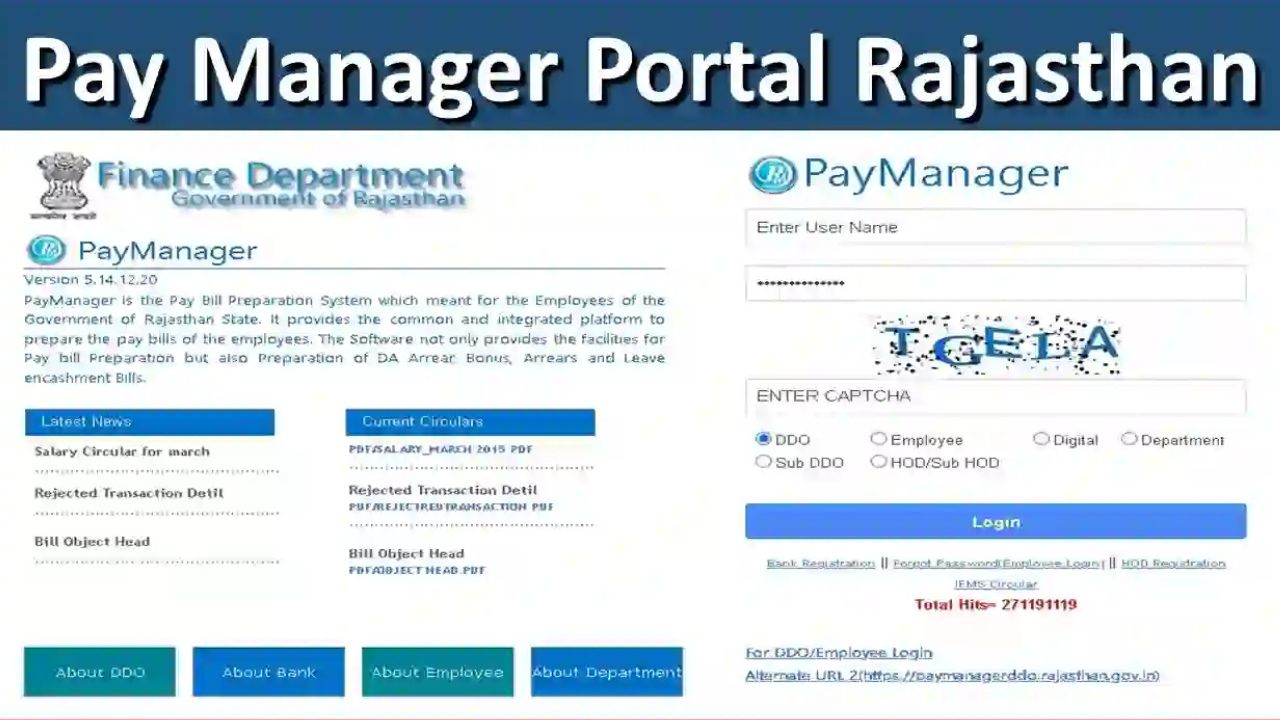
PayManager is the Pay Bill Preparation System which meant for the Employees of the Government of Rajasthan State. It is mainly used for salary, bill and banking related work of the Government employees of the state. PayManager system is designed by the Finance Department of Rajasthan State.
Paymanager not only provides the facilities for Pay bill Preparation but also Preparation of DA Arrear, Bonus, Arrears. In this detailed article, we will dive deep into what the PayManager Salary Bill Status is, how to use it, and its benefits.
What is Paymanager?
PayManager is a payroll management system developed by the Government of India. If you are a government employee in India then PayManager portal will definitely be useful for you. It enables employees to manage their payroll-related information conveniently, including salary slips, tax details, and personal information.
PayManager is used by several state governments to make timely salary payments to employees. All government employees can use this portal, although employees must first log in with their user ID and password. PayManager provides a variety of services typically related to a government employee’s service.
Key Features of PayManager
Salary Processing: Automates the calculation of salaries, deductions, and allowances.
Leave Management: Tracks employee leave and integrates it with payroll.
Tax Management: Calculates and manages tax deductions and filings.
Employee Self-Service: Allows employees to view their salary slips, tax details, and leave records.
Integration Capabilities: Integrates with other government systems for seamless data transfer.
Types of Logins in Paymanager
Various types of logins are available on the Rajasthan Paymanager portal. There are four main types of login processes, which are described here.
Bank Login: The bank login type is used for banking-related work.
Department Login: This is used by Rajasthan departments to monitor their work.
DDO Login: This is used for bill payments, outstanding bills, etc.
Employee Login: This login is used by Rajasthan government employees for tasks like downloading salary slips, salary details, etc.
Log in to Paymanager
- First, open the Paymanager login page
- Enter your Username and Password
- Then, enter the Captcha Code correctly
- Six options will appear: (a) DDO, (b) Employee, (d) Digital, (c) Department, (e) Sub DDO, and (f) HOD/Sub HOD. Select the one whose login ID is available.
- Now, click on the “Login” button.
Download Pay Slip
Step 1: First, log in to the official website with your user ID.
Step 2: Then, click on “Employee Corner.”
Step 3: Click on “Pay Slip” under Employee Report.
Step 4: Then, select the desired field, such as Month, Year, Financial Year, etc. Now, click on the “Submit” button.
PayManager is a robust tool for managing payroll and financial transactions efficiently. Through this, government employees can download salary slips and also avail various services.

He is a professional blogger, blogging expert, SEO strategist, and founder of Latestsarlariyojana.com. With over 10+ years in the industry, he helps creators and entrepreneurs build successful websites and blogs.